How do I know if I'm overtrading, and how do I stop?
Overtrading means taking more trades than your plan allows, usually out of boredom, fear of missing out or the urge to win back a loss, rather than because each trade has a clear entry. A process exercise has three parts: set a maximum number of trades per day (for example 2 to 3), enter only when you can answer “yes” to every item on a setup checklist, and log every trade outside the plan separately so you can count them each week.
What are the signs of overtrading?
The clearest sign is that your actual trade count is higher than the number you planned. Also check whether any of these sound familiar:
- You enter because you have been staring at the chart for hours and feel bored, not because a condition appeared.
- You cannot explain why you entered in one sentence.
- You drop to a very small timeframe just so there is always something to trade.
- One trade follows another right after a loss (see how to stop revenge trading).
- At the end of the day you cannot remember why you took each trade.
- Fees take a noticeable share compared with the amount you are willing to lose per trade.
How does a higher trade count change assumed costs?
Because every trade carries a cost and its risk adds up, even if you never raise your position size. More trades increase turnover under the model; simultaneous open exposure depends on whether positions overlap.
Hypothetical model: fixed starting balance 1,000 USD, fixed 10 USD planned loss per trade, exact fills. Assume fees plus the bid-ask spread cost about 0.1R = 1 USD per trade (an assumed number for the math, not any exchange’s fee). R is the risk unit of one trade; here 1R = 10 USD.
| Following the plan | Overtrading | |
|---|---|---|
| Trades per day | 3 | 15 |
| Risk per trade | 10 USD | 10 USD |
| Total risk if every trade loses | 30 USD (3%) | 150 USD (15%) |
| Assumed fees per day | 3 USD | 15 USD |
| Fees over 20 trading days | 60 USD (6%) | 300 USD (30%) |
Under these assumptions, five times as many trades means five times the cost, regardless of the win/loss sequence. It does not prove a high trade count loses money: net results also depend on the rule, average payoff and execution. Separate planned and unplanned trades in your own journal rather than inferring this from zone statistics.
How many trades per day should I allow myself?
Base the cap on how many setups your plan really allows, not on how much free time you have. One optional practice cap: 2 to 3 decisions a day.
- When you hit the cap, close the chart, whether the last trade won or lost.
- Combine it with a daily loss limit (for example 3% of the account). Whichever comes first, you stop.
- A day with no setup means no trades. That is the plan working correctly, not a “wasted” day.
For the groundwork on risk per trade, see risk management for beginner traders.
What should a setup checklist include?
A checklist is a list of questions you answer before every trade; a single “no” means no trade. For example:
- What do the higher timeframe (H4) and the lower ones (H1, M15) tell me?
- Is price at a zone I marked in advance?
- Has the confirmation condition happened (for example, a 15-minute candle closing above X)?
- Is the invalidation written down?
- Does the risk-reward at the current price meet the minimum in my plan?
- Does the position size match my planned risk?
How to write a trading plan helps you turn these questions into rules of your own.
How do I track trades taken outside the plan?
Tag every trade in your journal as “in plan” or “outside plan,” write the reason, and count them every week. The point is not self-blame; it gives you your own numbers to decide with.
A sample journal layout with invented outcomes for arithmetic only:
| Day | Symbol | In plan? | Reason for entry | Result (R) |
|---|---|---|---|---|
| Monday | BTC | Yes | 15-minute candle closed above the zone, checklist complete | −1R |
| Monday | ETH | No | Bored, saw a green candle | +0.5R |
At the end of the week, add up the R of each group separately and count the trades in each. The conclusion applies to your own data only, but if the “outside plan” group is a big share of your trades, that is the first thing to fix. Trading journal: how to review mistakes covers the review itself.
Practice patience for entries without real money
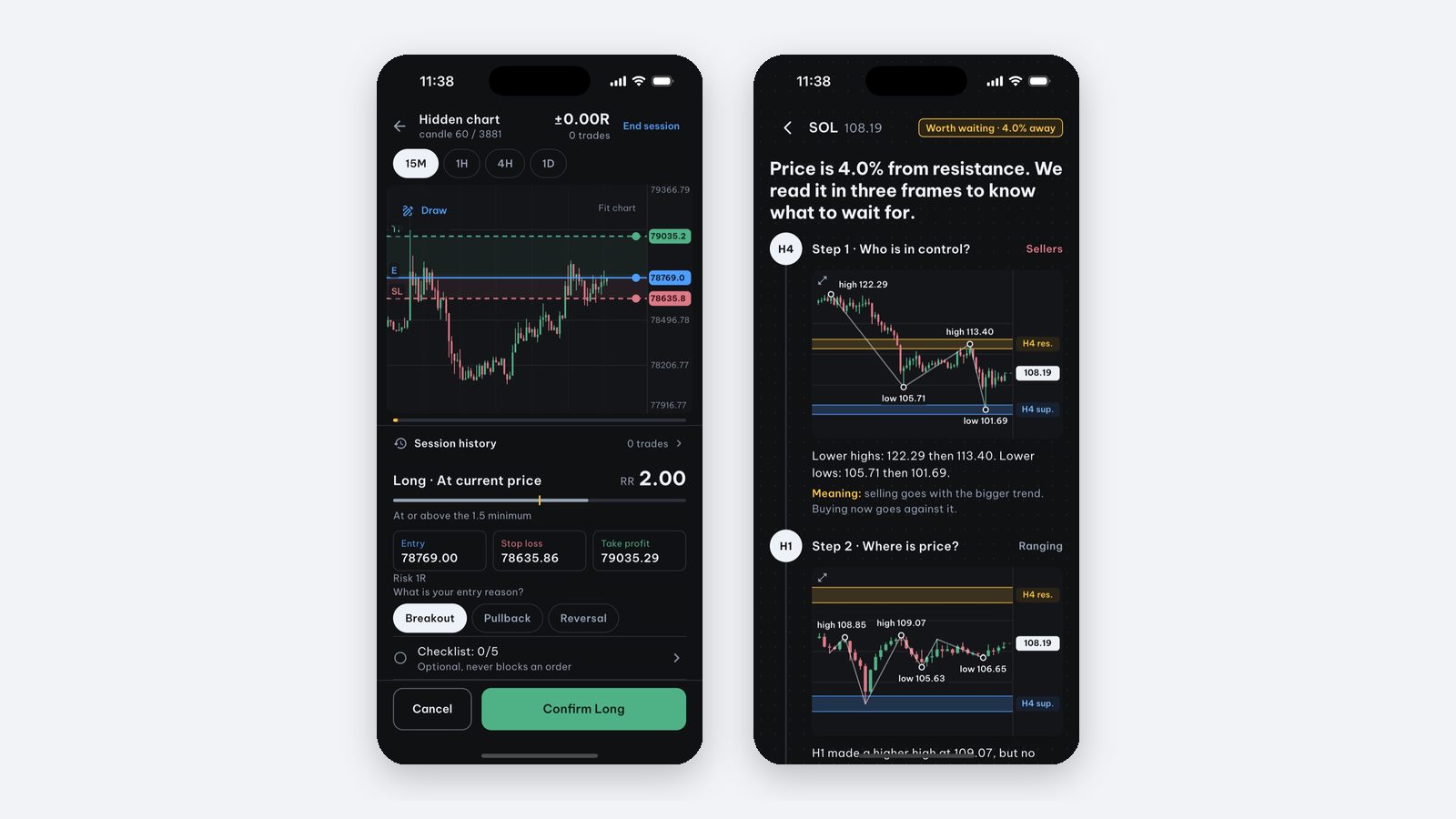
One practice exercise is to repeat the “worth waiting for, or stand aside” decision many times on historical charts, then compare it with what price really did.
Price Action Trading Simulator is an iPhone and iPad app for practicing price action on real historical data:
- Real cases: 220 real BTC, ETH and SOL moments over 24 months. The chart stops at the decision point, you choose whether anything is worth waiting for and where the idea is invalidated, then watch what price really did. The first session (5 cases) is free.
- Today tab (Pro): shows where price sits relative to key zones on H4, H1 and M15 and notifies you when price gets close. It is for observing, not buy or sell orders, so you do not need to watch the chart all day.
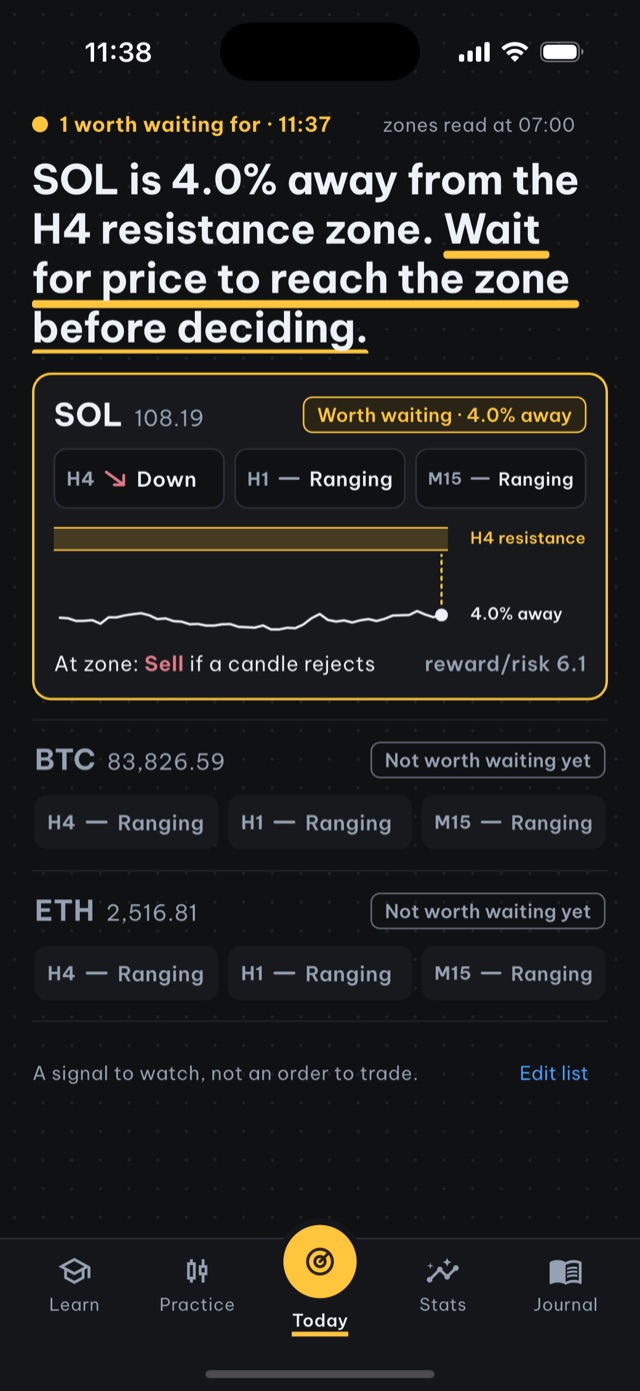
The app trades no real money, has no broker connection, needs no account and keeps progress on your device.
Source and scope: this is educational material by the Price Action Trading Simulator development team. Price/account examples are hypothetical unless identified as a historical observation; exact fills and omitted costs are assumptions, not guarantees. Our case-data methodology explains the historical sources, selection and limits.
Frequently asked questions
What is overtrading?
Overtrading is taking more trades than your plan allows, usually out of boredom, fear of missing out or the urge to win back a loss, rather than because each trade has a clear entry.
How many trades per day should I take at most?
There is no number that fits everyone. One optional practice cap: 2 to 3 decisions a day, each one passing a checklist, and stop as soon as you hit the trade cap or the daily loss limit.
How do I know whether a trade was outside my plan?
Compare it with a checklist written in advance: right zone, confirmation condition, invalidation, minimum risk-reward and correct position size. If any item is missing, the trade was outside the plan and should be tagged separately.
Is there an app that helps me practice waiting for entries?
Price Action Trading Simulator has real-case practice where waiting or standing aside is a valid choice, and a Today tab (Pro) that notifies you when price nears an important zone so you do not have to stare at charts. It trades no real money.
Written by the app’s development team. See the data, selection rules and limits of these first-party examples. Sources & method →
Keep reading
-
How do I stop revenge trading after a losing trade?
If a loss prompts an unplanned re-entry or larger size, try a prewritten pause-and-review routine. Compare fixed and doubled risk with stated assumptions.
-
How do I write a trading plan? A fill-in template
A trading plan is one page of rules written before you trade: market, setup, entry, stop, target, risk per trade, daily loss limit and a review routine.
-
Trading journal: what to record and how to review mistakes
Record rules and planned risk before entry, then actual fills, costs and compliance. A journal separates execution mistakes from an untested strategy.